
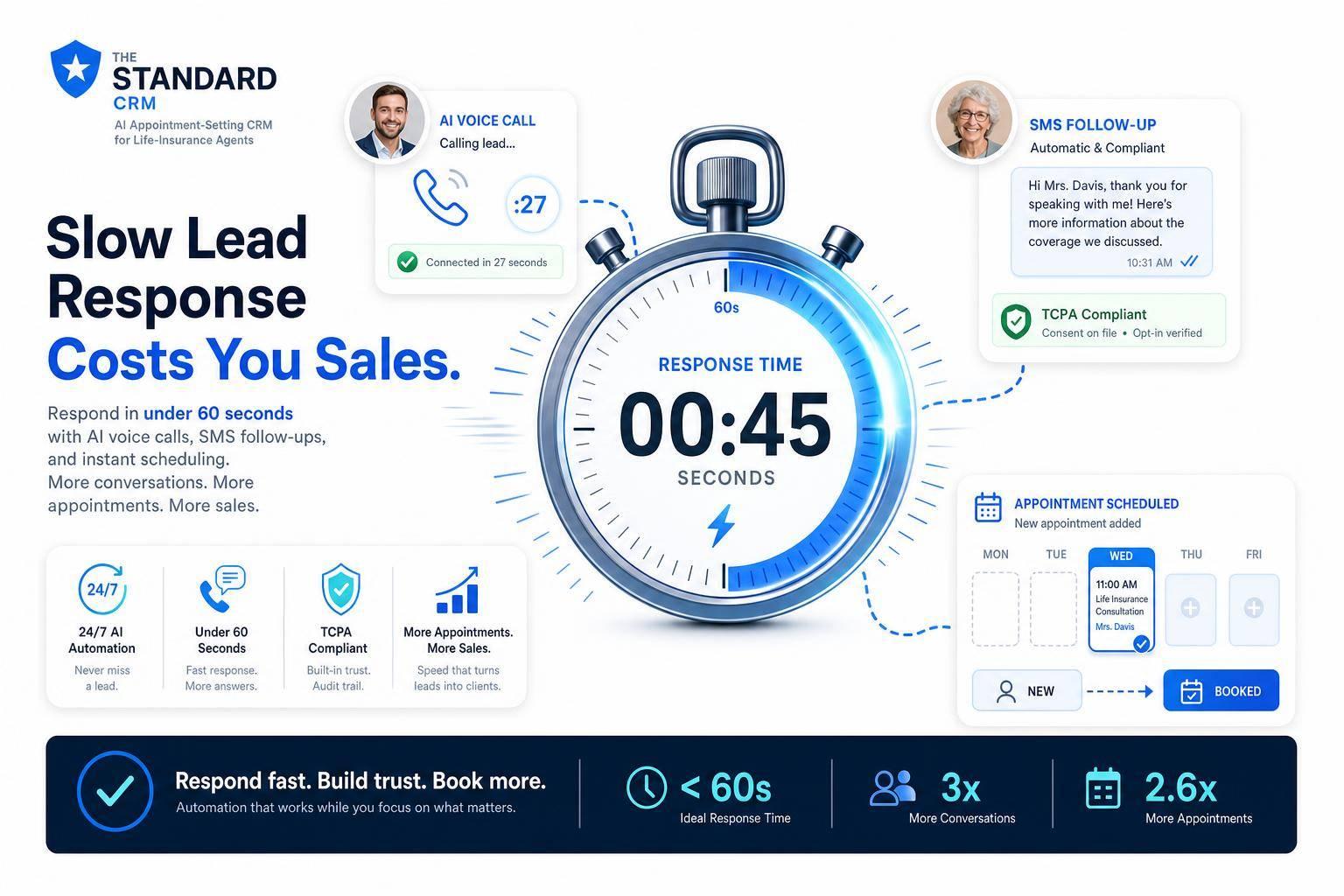
Slow Lead Response: How It Costs Insurance Agents Sales
If I wait too long to reply to a life insurance lead, I lose deals. The biggest drop often happens in the first few minutes: leads reached within 5 minutes are 21x more likely to enter the pipeline than leads reached after 30 minutes, and contact rates can fall by 90%+ after the first five minutes.
Here’s the article in plain English:
- Slow follow-up hurts sales at every stage: first contact, appointment booking, and post-meeting follow-up.
- After-hours leads are a big risk: about 40% of web form submissions come in outside normal business hours.
- Shared leads make delay more expensive: some lead sellers send the same lead to 3 to 5 agencies.
- Most agencies are too slow: average response time can run past 47 minutes, and many web leads get no follow-up at all.
- The fix is simple to define:
- send an acknowledgment in under 60 seconds
- make a live call in 1 to 5 minutes
- keep follow-up going for 14 to 21 days
- use 6 to 10 touchpoints
- The article also explains what to track: first-response time, contact rate, call attempts, lead-to-quote ratio, quote-to-bind ratio, and total touches.
- Automation and AI help cut delay by handling instant replies, routing, calling, scheduling, and after-hours coverage.
- Compliance still matters: as of January 2026, first-touch automated outreach needs brand-specific, one-to-one TCPA consent.
A simple takeaway: if I want more policies from the same lead spend, I need a system that replies fast, keeps follow-up moving, and stays compliant.
Where slow follow-up breaks the sales process
From inquiry to first contact: how contact decay starts fast
Contact decay starts the moment a lead comes in. This usually isn't about lazy teams. It's a process problem. Manual routing, busy calendars, and client work push that first reply back.
The average independent agency takes more than 47 minutes to respond to an online lead, and 38% of web leads never get any follow-up at all. That's a brutal gap. By the time an agent calls, the prospect may already be talking to someone else, or they may have picked a competitor and moved on.
And that first delay doesn't stay contained. It spills into the next step too: getting the meeting on the calendar.
From first contact to booked appointment: how delays lower set and show rates
Once you make contact, the clock keeps ticking. Now the holdup shifts to scheduling. Slow replies make booking harder, and the agency that makes the next step simple is often the one that gets the appointment.
Here’s a realistic example: A prospect submits a quote request at 7:15 PM Thursday. The producer calls Friday afternoon. By then, other agents have already spoken with the prospect, and one closed the sale before noon.
That’s how fast the window can shut.
In life insurance, people often shop for a short stretch and then stop. Once that window closes, the lead is usually gone. And even after the appointment is booked, slow follow-up can still chip away at the sale.
From appointment to issued policy: how slow answers cause drop-off
Speed still matters after the meeting is set. Booked appointments can fall apart when follow-up drags. A slow reply about underwriting, medical exams, or policy choices gives the buyer time to lose momentum. The urgency that got them to inquire in the first place, often tied to a life event, starts to wear off.
60–80% of policies are sold more than 60 days after the first inquiry. So the post-appointment phase needs steady follow-up, not just a quick check-in. Many agents stop after one or two attempts, but the average insurance sale needs 5–8 touchpoints to close.
Every unanswered question becomes another place where the prospect can drop out. That’s why response-time benchmarks and follow-up cadence matter so much here.
sbb-itb-b54a2b8
Why Speed to Lead is Critical for Insurance Sales
Response-time benchmarks and metrics agents should track
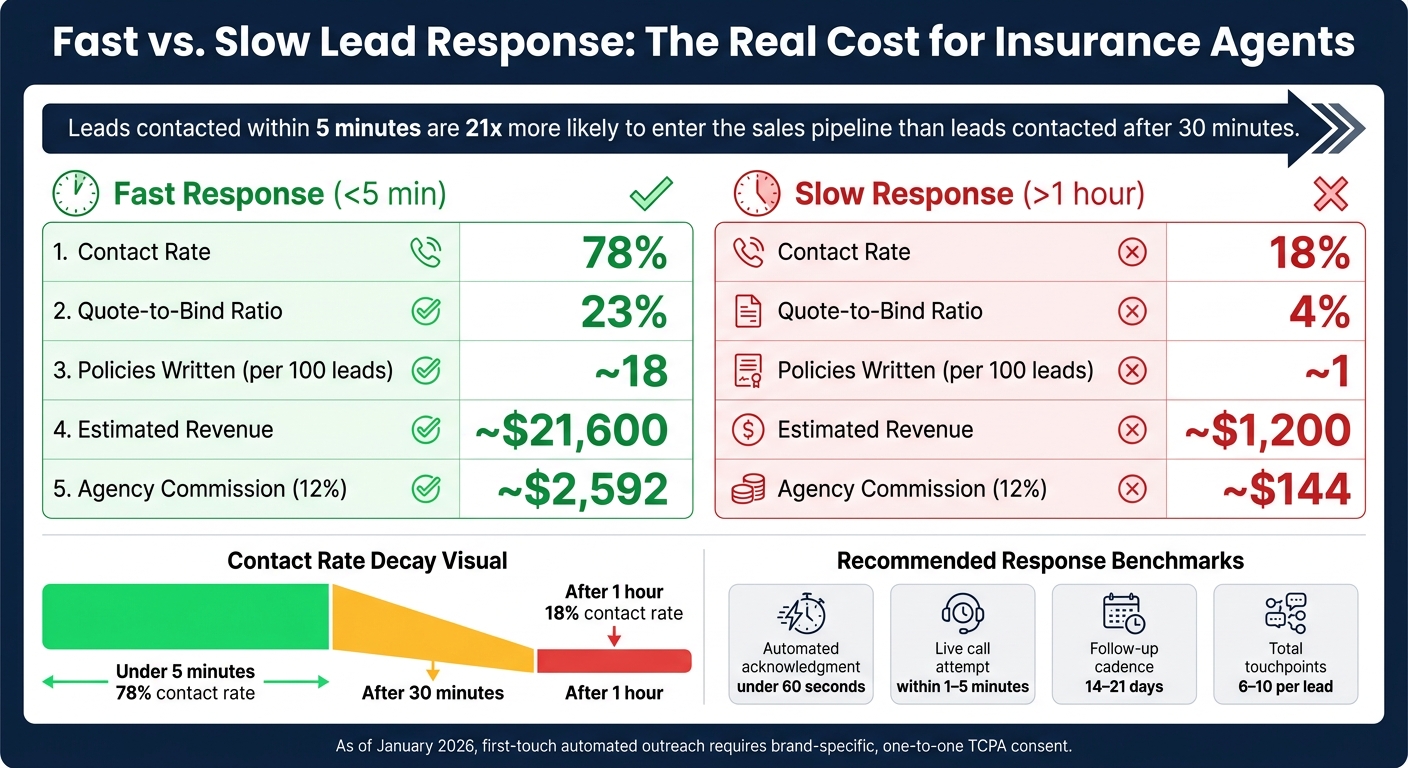
Fast vs. Slow Lead Response: The Real Cost for Insurance Agents
Benchmarks for first touch, call attempts, and follow-up cadence
Every inbound lead - web forms, inbound texts, and referral emails - should get an automated SMS or email acknowledgment within 60 seconds. Then, during local business hours, a live call should go out within 1–5 minutes. That first auto-response buys your team a little breathing room while the live call gets lined up.
From there, don’t let the lead go cold. Use a follow-up sequence that runs 14–21 days, mixing calls, texts, and emails for 6–10 total touchpoints.
Those benchmarks only matter if you track them every week.
The numbers that show lost revenue
Track these six KPIs weekly:
| KPI | What It Measures | Why It Matters |
|---|---|---|
| Median first-response time | Time from lead capture to first touch | Shows how long leads wait before contact decay starts |
| Contact rate | % of leads reached | Drops sharply after the first 5 minutes |
| Call attempts per lead | Outbound attempts per lead | Aim for 6–8; most sales require at least 5 touches |
| Lead-to-quote ratio | % of leads that reach a quote | Shows where prospects drop out of the funnel |
| Quote-to-bind ratio | % of quotes that become policies | Shows where prospects drop out of the funnel |
| Touchpoints per lead | Total calls, texts, and emails | A 14–21 day cadence with 6–10 touchpoints keeps prospects engaged |
The drop-off is fast. Leads contacted within 5 minutes are 21 times more likely to enter the sales pipeline than leads contacted after 30 minutes. Wait more than an hour, and contact rate falls to about 18%, compared with 78% for responses under 5 minutes.
That’s where the leak starts. And once you look at the dollars, it gets hard to ignore.
Comparison table: fast response workflow vs. slow response workflow
Across 100 leads, slow follow-up can turn into lost revenue in a hurry. The table below uses illustrative figures based on published benchmarks, with a $1,200 average premium and a 12% agency commission.
| Metric | Fast Response (<5 min) | Slow Response (>1 hour) |
|---|---|---|
| Contact rate | 78% | 18% |
| Quote-to-bind ratio | 23% | 4% |
| Policies written (per 100 leads) | ~18 | ~1 |
| Estimated revenue | ~$21,600 | ~$1,200 |
| Agency commission (12%) | ~$2,592 | ~$144 |
This is the gap automation is meant to shrink.
How to fix slow lead response with automation and AI
Instant replies and lead routing remove the first bottleneck
Once the benchmarks are clear, the next move is automation. Most deals slip away in the stretch between form submission and first contact. The fix is simple in theory: treat the first response like a system job, not something that depends on a person being free.
When a lead comes in - whether from a web form or an ad click - The Standard CRM sends the first touch right away in the same channel the lead used. That first message can't be generic. It needs to feel specific and show the lead was seen. At the same time, the system sends the lead to the right agent based on availability, geography, or carrier appetite, with no manual sorting. That's a big deal for after-hours leads, who might otherwise sit and wait 14+ hours for a human reply.
After that first touch, the goal shifts fast: get the appointment booked before interest cools off.
AI calling and scheduling turn interest into booked appointments faster
AI voice outreach starts a call with 2- to 4-second pickup latency, asks qualifying questions like current premiums and claims history, and gives the lead a direct calendar link to book time with a producer. In parallel, the system adds lead enrichment to the record so the producer walks into the first live conversation with more context. A sequenced nurture workflow keeps the lead warm until a producer gets the booking.
The workflow below shows exactly where delay gets cut out.
Workflow table: automation steps and the delay each one removes
| Automation Step | Delay Removed | Result |
|---|---|---|
| Instant SMS/Email | 2–42 hours of human wait time | 391% higher conversion vs. a 2-minute delay |
| Automated Lead Routing | 15–30 minutes of admin sorting | Right agent gets the lead immediately |
| AI Enrichment | 10–20 minutes of manual research | Better first-call context |
| AI Voice Outreach | 30–90 seconds of manual dialing | 21x higher qualification rate vs. a 30-minute delay |
| After-Hours AI Coverage | 14+ hours of overnight wait | 6x increase in after-hours conversion |
| AI Scheduling | 2–3 days of back-and-forth | Prospect booked at peak intent |
| Multi-Touch Nurture Cadence | Weeks of manual check-ins | 2.8x more policies bound from the same lead volume |
Compliance matters here. As of January 2026, automated outreach requires brand-specific, one-to-one TCPA consent before any first-touch workflow goes live.
Conclusion: Build a faster, compliant lead response system
The main issue is simple: when a lead waits, your chance of reaching that person drops fast. And most of that loss happens at three points: first contact, appointment booking, and follow-up after the appointment.
These aren't just stats on a page. They're real policies that likely went to the first person who answered the phone.
The answer is a system that replies, routes, and follows up on its own. In practice, that means:
- Send an automated acknowledgment in under 60 seconds, then route the lead to a live agent within 5 minutes. Leads contacted in that window are 21 times more likely to enter the pipeline than those reached after 30 minutes.
- Run a structured 14- to 21-day follow-up cadence with 6 to 10 touchpoints across SMS, email, and phone.
- Track consent, DNC status, and messaging registration in one system. As of January 2026, consent must be brand-specific.
That's exactly the kind of problem automation is meant to handle. Standard CRM puts instant replies, routing, AI outreach, scheduling, and compliance in one place. Speed and compliance can work together when the system is set up the right way. That shift helps turn a slow, leaky pipeline into one that converts on a steady basis.
FAQs
Why do leads go cold so fast?
Leads cool off fast. Right after someone submits their info, that’s when interest is at its highest. But that window doesn’t stay open for long. Within minutes, contact and conversion rates can fall hard.
There’s another issue too: prospects often hear from multiple agents at once. In that situation, the first solid response usually gets the attention and earns the trust. If follow-up depends on manual work and takes too long, prospects have time to lose interest or go with someone else.
What should my lead response workflow look like?
Prioritize fast lead delivery and outreach across more than one channel. Send new leads to your CRM or dialer within 30–60 seconds. Then use automated SMS and email to confirm the inquiry, explain what happens next, and give the lead a clear next step.
After that, keep the follow-up going with calls, texts, and emails during the first 7–14 days. If a lead replies, route it to a producer right away. If there’s no response, stick with the scheduled follow-ups, including after-hours acknowledgments.
How can I automate follow-up and stay TCPA compliant?
Set up automation that sends instant alerts and kicks off multi-step follow-up when a lead takes action. That can include immediate SMS, email, and internal notifications, followed by sequences that keep running for 7–14 days.
To stay TCPA compliant, your system needs to track consent, apply state-specific calling rules, scrub Do Not Call lists, keep audit trails, and send automated texts or calls ONLY to leads who gave explicit consent.